> For the complete documentation index, see [llms.txt](https://docs.getblock.io/llms.txt). Markdown versions of documentation pages are available by appending `.md` to page URLs; this page is available as [Markdown](https://docs.getblock.io/add-ons/yellowstone-grpc-api/quickstart-guide.md).
# Quickstart guide
Follow these steps to activate the Solana Yellowstone gRPC add-on on GetBlock
GetBlock offers[ SOL nodes](https://getblock.io/nodes/sol/) with the Solana Geyser gRPC plugin, so you can start using it immediately, without any node setup and maintenance — simply enable the add-on and point your gRPC client at our endpoints.
### Prerequisites
* A GetBlock account with a Dedicated Solana Node subscription
* Your gRPC endpoint URL with access token (found in GetBlock dashboard)
#### Enabling the Solana gRPC add-on on GetBlock
The Yellowstone gRPC add-on to Solana currently requires a [Dedicated Node](https://docs.getblock.io/getting-started/plans-and-limits/choosing-your-plan) subscription on GetBlock. Here’s how to set it up with gRPC API:
1. **Sign up / log in**: Create an account at GetBlock.io or log in to your existing account.
2. **Deploy a dedicated Solana node:**
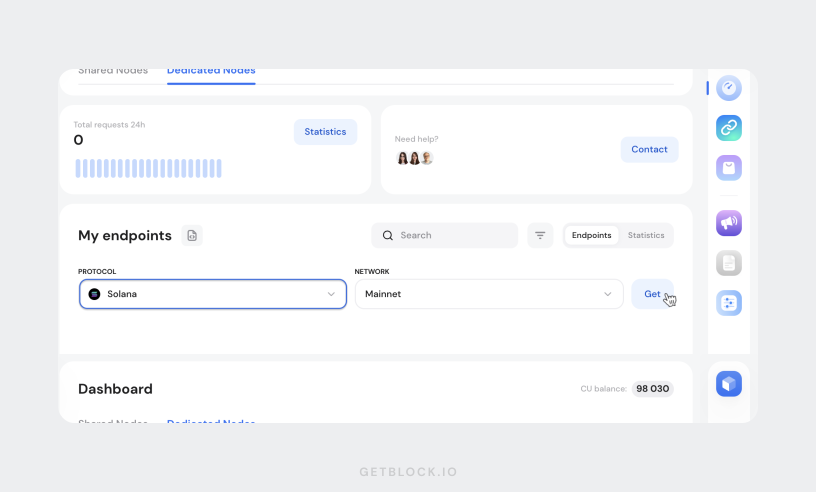
1. Go to your user **dashboard**, switch the tab to “**Dedicated nodes**”, and scroll down to “My endpoints”
2. Choose **Solana** under “Protocol”, set the network to **mainnet**.
3. Click on **Get**.
3. **Enable the gRPC add-on**: In Step 3 (Select API and Add‑ons) of your node setup, check **Yellowstone gRPC** under Add‑ons.
{% hint style="success" %}
All **Dedicated Node plan subscribers** receive the Yellowstone gRPC API **at no extra cost** together with their Solana node.
{% endhint %}
Once your node is live, you’ll be able to create gRPC endpoints to begin using the add-on.
#### Get your gRPC endpoint
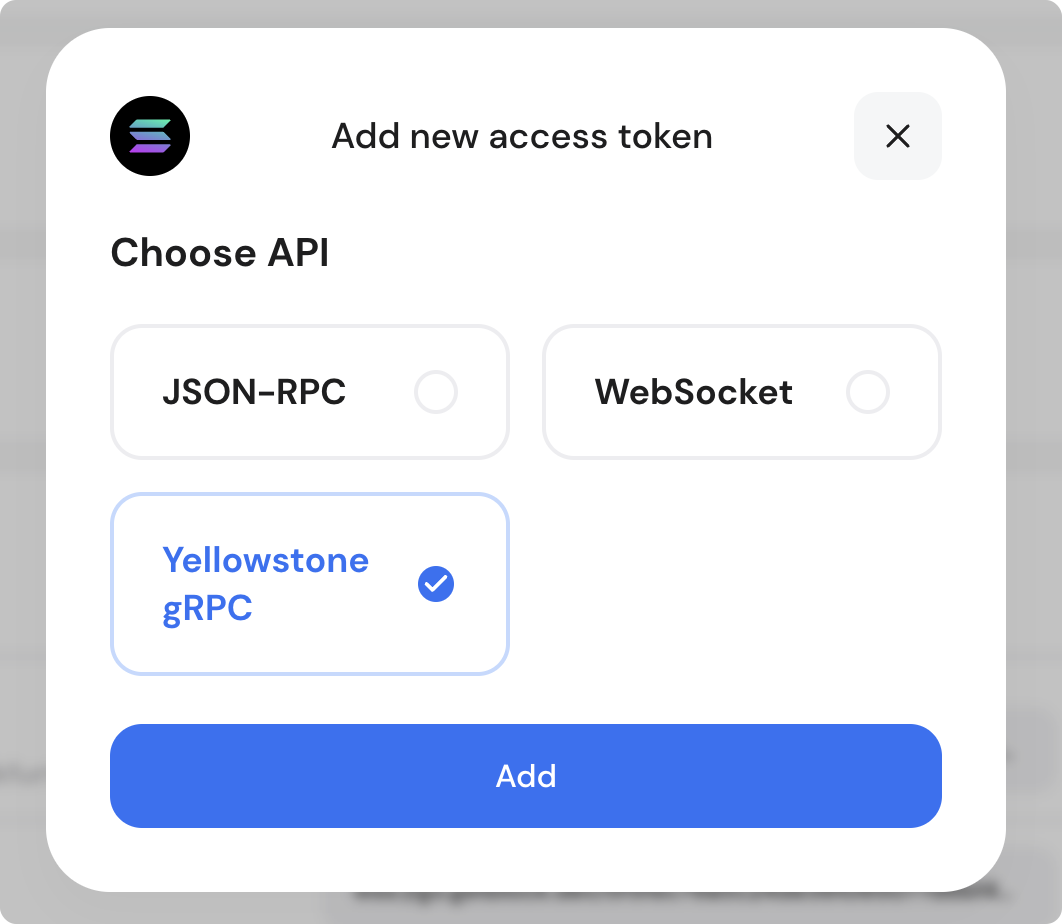
Return to **My endpoints** in your Dedicated node dashboard and generate a gRPC [Access Token](https://docs.getblock.io/getting-started/authentication-with-access-tokens).
The dashboard will generate your new HTTPS‐style gRPC endpoint URL.
#### Endpoint & authentication
The endpoint URL will be used by your gRPC client to authenticate and interact with the Solana network. Regional domain determines which data center you’re talking to (Europe, US, or Asia).
{% hint style="info" %}
Your **node’s region** is locked in when you deploy it, during the setup flow. Once the node is provisioned in that region, all your endpoint URLs will correspond to the location you selected.
{% endhint %}
Example endpoint URLs:
```http
// Europe (Frankfurt)
https://shared.eu-central-1.getblock.io//
// USA (New York)
https://shared.us-east-1.getblock.io//
// Asia (Singapore)
https://shared.ap-southeast-1.getblock.io//
```
When establishing your gRPC channel, the authentication is handled via an access token:
```typescript
ENDPOINT = 'https://shared.eu-central-1.getblock.io';
TOKEN = 'YOUR_GETBLOCK_ACCESS_TOKEN';
```
{% hint style="info" %}
GetBlock provides a single TLS endpoint – you don’t need to open or configure a different port for gRPC access.
{% endhint %}
***
### Subscribing to Data Streams: Code examples
Dragon’s Mouth uses **gRPC over HTTP/2** for all communication. Its message schemas are defined in Protocol Buffer (`.proto`) files, included in the [Yellowstone repository](https://github.com/rpcpool/yellowstone-grpc/tree/master), which specify all the RPC methods and data types.
The power of Yellowstone is real‑time streaming: open a single bi‑directional stream, send a `SubscribeRequest` with your filters, and get back a sequence of `SubscribeUpdate` messages.
Here are the main subscription targets:
| Stream Field | Proto Name | What You Get |
| ------------------- | -------------------------------------------- | ---------------------------------------------------- |
| `slots` | `slots: SlotsFilter` | Slot numbers as they’re processed by leader |
| `blocks` | `blocks: BlocksFilter` | Block metadata (slot, parent slot, timestamp) |
| `blocksMeta` | `blocksMeta: BlocksFilter` | Block metadata + transaction counts + status |
| `accounts` | `accounts: AccountsFilter` | Account lamports, owner, executable flag, rent epoch |
| `accountsDataSlice` | `accountsDataSlice: AccountsDataSliceFilter` | Partial account data blobs |
| `transactions` | `transactions: TransactionsFilter` | Full transaction data + meta |
{% hint style="info" %}
All filters can be combined in the same request.
{% endhint %}
Developers can integrate Yellowstone streams using standard gRPC client libraries. Triton’s Yellowstone repository includes [example clients](https://github.com/rpcpool/yellowstone-grpc/tree/master/examples) in **Rust**, **Python**, **Go**, and **TypeScript**.
The part below will show common ways to initialize your **connection to the GetBlock gRPC endpoint** and open a bidirectional subscription stream (`Subscribe`) with filters.
***
#### 1. CLI (using `grpcurl`)
A generic tool like grpcurl is perfect to just poke at the API and explore method calls:
```bash
# 1) List services and methods
grpcurl \
-insecure \
-authority shared.eu-central-1.getblock.io \
-H "x-access-token: YOUR_ACCESS_TOKEN" \
shared.eu-central-1.getblock.io:443 \
list
# 2) Subscribe to slots
grpcurl \
-insecure \
-authority shared.eu-central-1.getblock.io \
-H "x-access-token: YOUR_ACCESS_TOKEN" \
shared.eu-central-1.getblock.io:443 \
geyser.Geyser/Subscribe \
-d '{ "slots": { "slots": []{} } }'
```
***
#### 2. Using a high‑level SDK (Node.js / TypeScript)
The `triton-one/yellowstone-grpc` repository is the official client toolkit for Solana’s Yellowstone (Geyser) gRPC API.
It wraps the raw gRPC calls in friendly methods, handles reconnects, back‑pressure, and includes TypeScript types out of the box – easiest to get started with minimal boilerplate.
**Install the SDK**:
```bash
npm install @triton-one/yellowstone-grpc
# or
yarn add @triton-one/yellowstone-grpc
```
**Connect to the gRPC endpoint and subscribe to the stream**:
```typescript
import Client, {
SubscribeRequest,
CommitmentLevel,
SubscribeResponse,
} from "@triton-one/yellowstone-grpc";
async function main() {
// Initialize
const ENDPOINT = "https://shared.eu-central-1.getblock.io/";
const TOKEN = "";
const client = new Client(ENDPOINT, TOKEN);
// Open a bidirectional stream
const stream = await client.subscribe();
// send a request to start all streams
stream.write({
accounts: ["YourWalletPubkeyHere"],
programs: [],
commitment: CommitmentLevel.PROCESSED,
} as SubscribeRequest);
stream.on("data", (msg: SubscribeResponse) => {
if (msg.accountChange) {
console.log(
`▶ Account ${msg.accountChange.pubkey} = ${msg.accountChange.lamports}`
);
}
});
// End the stream
stream.end();
await client.close();
}
main().catch(console.error);
```
***
#### 3. Python, Rust, and Go streaming examples
Below are minimal examples using Triton's **Yellowstone helper libraries** to stream real-time data from Solana via gRPC.
{% tabs %}
{% tab title="Go" %}
**Setup & run**:
```bash
cd go-client
go mod tidy
go run main.go
```
Make sure the following **dependencies** are installed:
```bash
go get github.com/rpcpool/yellowstone-grpc/examples/golang@latest
go get google.golang.org/grpc@latest
```
**Go Example** (`go-client/main.go`):
```go
import (
"context"
"fmt"
"log"
"time"
ygrpc "github.com/rpcpool/yellowstone-grpc/examples/golang/pkg/grpc"
pb "github.com/rpcpool/yellowstone-grpc/examples/golang/pkg/proto"
"google.golang.org/grpc/metadata"
)
func main() {
endpoint := "shared.eu-central-1.getblock.io:443"
token := "YOUR_GETBLOCK_TOKEN"
client, err := ygrpc.NewGrpcConnection(context.Background(), endpoint)
if err != nil {
log.Fatalf("Connection error: %v", err)
}
defer client.Close()
ctx := metadata.AppendToOutgoingContext(context.Background(), "x-token", token)
stream, err := client.Subscribe(ctx)
if err != nil {
log.Fatalf("Subscription error: %v", err)
}
req := &pb.SubscribeRequest{
Accounts: map[string]*pb.SubscribeRequestFilterAccounts{
"example": {
Account: []string{"YOUR_WATCHED_ACCOUNT"},
},
},
Commitment: pb.CommitmentLevel_CONFIRMED,
}
if err := stream.Send(req); err != nil {
log.Fatalf("Send error: %v", err)
}
fmt.Println("Streaming...")
for {
res, err := stream.Recv()
if err != nil {
log.Printf("Stream error: %v", err)
time.Sleep(time.Second)
continue
}
fmt.Printf("Update at slot %d for %s\n", res.GetSlot(), res.GetAccount().GetAccount().GetPubkey())
}
}
```
{% endtab %}
{% tab title="Python" %}
Make sure you clone the Yellowstone repo (for the `examples.grpc` module):
```bash
git clone https://github.com/rpcpool/yellowstone-grpc
export PYTHONPATH=$PYTHONPATH:$(pwd)/yellowstone-grpc/examples/python
```
**Python Example** (`python-client/stream.py`):
```python
from examples.grpc import new_client
import time
from google.protobuf.json_format import MessageToDict
endpoint = "shared.eu-central-1.getblock.io:443"
token = "YOUR_GETBLOCK_TOKEN"
channel, client = new_client(endpoint, token)
req = {
"accounts": {
"example": {
"account": ["YOUR_WATCHED_ACCOUNT"]
}
},
"commitment": "CONFIRMED"
}
stream = client.Subscribe(iter([req]))
for update in stream:
print("Update:", MessageToDict(update))
time.sleep(0.5)
```
{% endtab %}
{% tab title="Rust" %}
**Setup**:
```bash
cd rust-client
cargo build
cargo run
```
Ensure your **Cargo.toml** includes:
```toml
[dependencies]
yellowstone-grpc = { git = "https://github.com/rpcpool/yellowstone-grpc", branch = "main" }
tonic = "0.9"
tokio = { version = "1", features = ["full"] }
```
**Rust Example** (`rust-client/src/main.rs`):
```rust
use tonic::metadata::MetadataValue;
use yellowstone_grpc::client::{subscribe_with_token, SubscribeRequest};
#[tokio::main]
async fn main() {
let endpoint = "https://shared.eu-central-1.getblock.io";
let token = "YOUR_GETBLOCK_TOKEN";
let mut stream = subscribe_with_token(endpoint, token, SubscribeRequest {
accounts: Some({
let mut m = std::collections::HashMap::new();
m.insert("example".to_string(), vec!["YOUR_WATCHED_ACCOUNT".to_string()]);
m
}),
commitment: Some("confirmed".into()),
..Default::default()
}).await.expect("stream failed");
println!("Streaming...");
while let Some(Ok(update)) = stream.message().await {
println!("Update: {:?}", update);
}
}
```
{% endtab %}
{% endtabs %}
***
### Unary RPC methods
In addition to streaming subscriptions, the same gRPC interface also provides unary RPCs for quick, one-off queries:
* **`getSlot`**: Returns the current slot number.
* **`getBlockHeight`**: Retrieves the current block height.
* **`getLatestBlockhash`**: Fetches the most recent blockhash.
* **`isBlockhashValid`**: Checks whether a given blockhash is still valid.
* **`getVersion`**: Returns version info for both the gRPC plugin and the connected Solana node
You can call these methods directly on the gRPC client without opening a streaming connection.
***
### Yellowstone gRPC best practices
Before you start streaming data with the Yellowstone Geyser plugin, consider these recommendations:
* **Filtering is crucial**: Always narrow your subscription to only the `accounts` or `programs` you need. Excessive or empty filters can overwhelm clients and hit rate limits.
* **Combine with JSON‑RPC**: Use gRPC for real‑time streaming. Continue to use GetBlock’s JSON‑RPC Solana endpoints for on‑demand calls like [`getBlock`](broken://pages/qfijVOnnvj0tmM2T2mDt), [`sendTransaction`](broken://pages/164SGSO9dftxQ39PHwbH), or historical queries.
* **Keeping your stream alive**: gRPC streams may time out if idle. The Yellowstone plugin can handle keep-alive pings. In your `SubscribeRequest`, you can set `ping: true` to respond to server pings (or send a minimal ping message periodically) to keep the stream alive.
* **Selecting the right commitment levels**: Choose **`processed`**, **`confirmed`**, or **`finalized`** in your `SubscribeRequest` to balance between lowest latency (`processed`) and highest certainty (`finalized`). For most real‑time use cases (dashboards, bots), use `processed` to see intra‑slot updates.
{% hint style="info" %}
#### About commitment levels
In Solana’s commitment hierarchy, you have *processed*, *confirmed*, and *finalized:*
* **Finalized**: After full consensus & finalized in the ledger.
* **Confirmed**: Once a supermajority of validators have voted.
* **Processed**: Means the validator has received and executed the transaction, but it may not yet have enough votes to be considered confirmed/finalized – (“intra-slot”).
*Streaming at “processed” gives you every transaction and account write the moment the leader executes it, well before it appears in a confirmed block.*
{% endhint %}
***
With these examples and notes, you should be able to jump right into using GetBlock’s Yellowstone gRPC API in the language of your choice.
### 💬 Need help?
Check out the [Yellowstone gRPC docs](https://github.com/rpcpool/yellowstone-grpc) or reach out via [GetBlock support](https://getblock.io/contact/).
.svg?alt=media)