> For the complete documentation index, see [llms.txt](https://docs.getblock.io/llms.txt). Markdown versions of documentation pages are available by appending `.md` to page URLs; this page is available as [Markdown](https://docs.getblock.io/getting-started/plans-and-limits/payment-methods.md).
# Payment methods
GetBlock supports three payment methods: fiat, crypto, and prepaid Credits.
Fiat and crypto payments go directly toward a subscription or one-time charge. Credits are a prepaid balance you fund first, then spend across any service on the platform.
### Fiat payments
Users can pay for subscriptions using traditional fiat currency via **Paddle**.
**How it works:**
* **Recurring payments enabled by default**: Payment is automatically deducted on the billing date.
* **Fees**: VAT is applied to Paddle payments and varies depending on your region
* **If the card balance is insufficient**: GetBlock will retry the payment after three days. If the retry fails, the plan will be frozen until the payment is resolved.
Selecting fiat as a payment method
{% hint style="warning" %}
Please, account for VAT when planning your payments.
{% endhint %}
***
#### Updating your payment details
To update your payment information while you have an active subscription:
1. Go to **Billing** → **Billing Information**.
2. Click ‘**Edit**’.
3. Enter your updated payment details and save the changes.
***
### Crypto payments
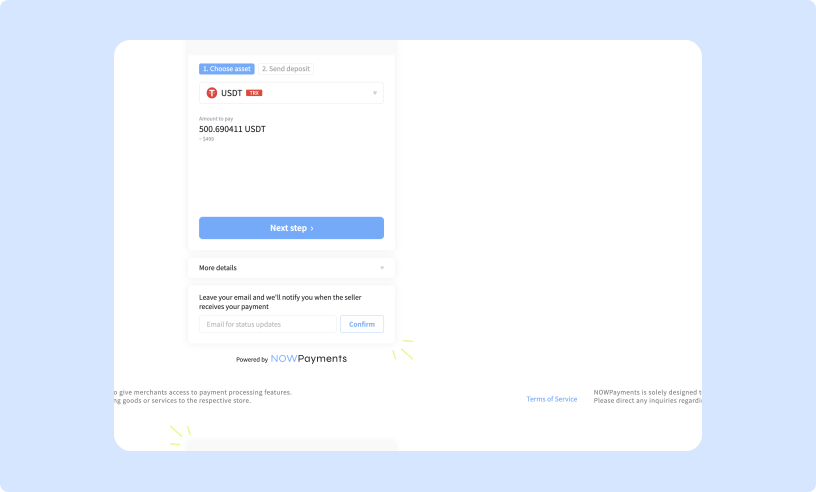
Users can pay for subscriptions or top up their Credits with cryptocurrency through **NOWPayments**.
**How it works:**
* **Payments are processed as one-time transactions**: add funds as needed.
* **Supported cryptocurrencies**: any token on any network available through NOWPayments at the time of payment.
* **Fees**: blockchain network fees apply.
Crypto payments
{% hint style="warning" %}
If the network fees are insufficient or the transaction fails, the payment will not be processed and the subscription plan will not be activated. **Please, include enough gas fees to ensure the transaction processes successfully**.
{% endhint %}
***
### GetBlock Credits
GetBlock Credits are a universal, USD-denominated prepaid balance you can use to pay for any service on the platform — Shared Node subscriptions, Dedicated Nodes, Limitless plans, CU top-ups, and on-demand Products (Wallet Audit, AML Checks, TRON Energy delegation, Solana Shred Streaming, Solana Market Data, etc.)
**How it works:**
* Prepaid model: Top up your balance in advance. It can then cover subscription costs or one-time service fees without triggering a new external transaction each time.
* "Credits" appears as a payment option alongside fiat and crypto during checkout.
* GetBlock Credits are prepaid service credits. Once topped up, they can't be withdrawn or refunded to a bank account or crypto wallet.
* Your balance is tied to your account and can't be moved to another GetBlock account.
#### How to top up Credits
1. Go to **Billing** in your dashboard and select "**Top up Credits**."
2. Choose a preset amount (e.g. $10, $50, $100) or enter a custom value
3. Pick a payment method to fund it: card payments via Stripe, or crypto via NOWPayments.
The Billing page shows your current balance, top-up history, and invoices.
{% hint style="info" %}
#### Paying for RPC services (Shared Node plans, Dedicated Nodes, Limitless Node) with Credits
* At the payment step, enable the **Subscription** toggle to use recurring billing. Your subscription renews automatically, and Credits are deducted at the end of each billing period.
* Your balance needs to cover tax as well as the plan price. Top up enough to cover the plan price *plus* tax.
{% endhint %}

.png?alt=media&token=4bfb58e1-24d6-40ca-a5fc-3cbe3307466e)